Turn Your Data Into Beautiful Maps
Import from Excel or Google Sheets, color-code regions with your data, and export as PNG, SVG or PDF, or publish an interactive map you can embed anywhere. All in your browser.
Free, no sign up required. Or browse all maps
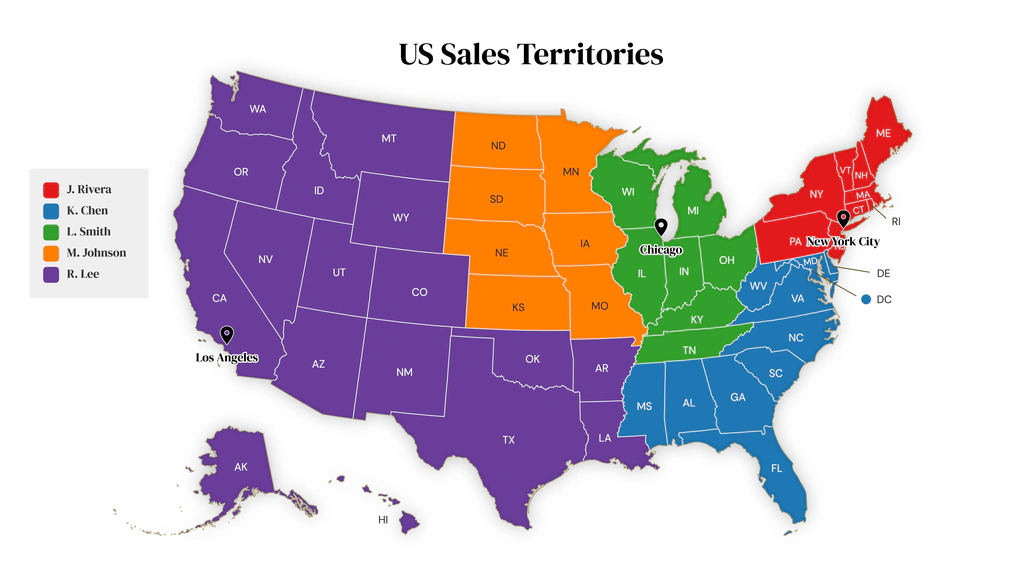
Sales Territory Maps
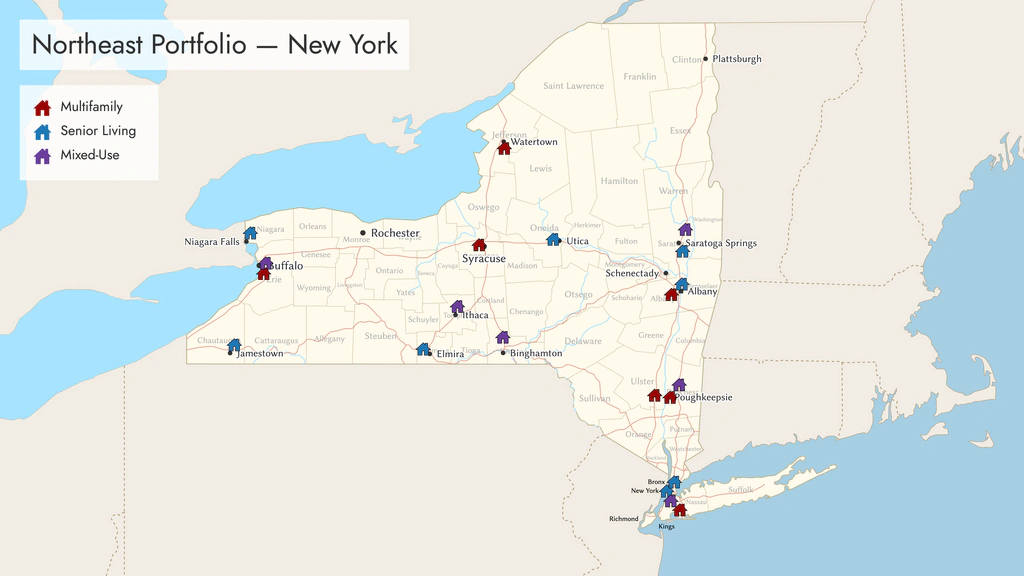
Portfolio Maps

Election & Political Maps
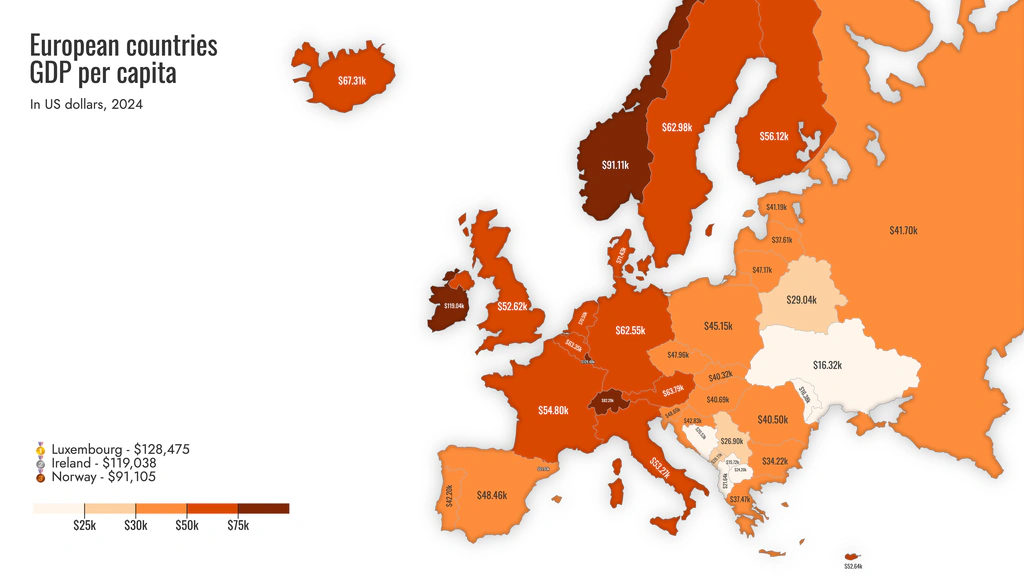
Data Visualization Maps
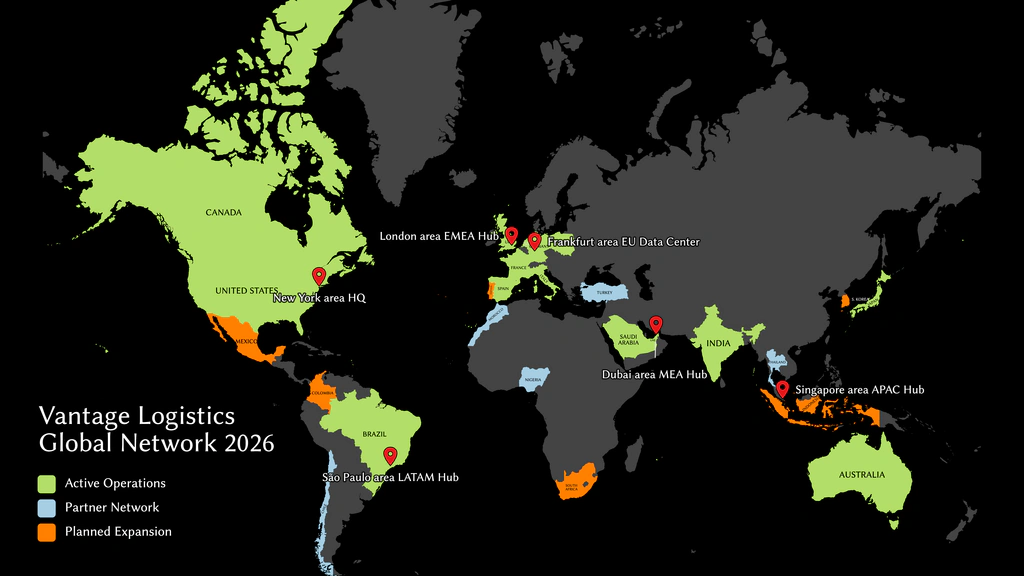
Presence & Coverage Maps
Location Maps
Trusted by Teams Worldwide
Rated 4.8 out of 5 · 72 reviews
25K+
Monthly Users
500+
Maps Created Per Day
200+
Maps & Regions Available
What People Build with Ultimaps
From sales teams to researchers, thousands of professionals use Ultimaps to visualize their data on a map. Here are the most popular use cases.
Sales Territory Maps
Divide states, counties, or countries into territories. Assign colors to each rep or region, add a legend, and share a clean map your whole team can reference. Update it anytime your territories change.
Real Estate Portfolio Maps
Visualize your property holdings across states or regions. Color-code by asset type, occupancy, or performance. Pin individual properties and embed a live map in investor reports or your company website.
Election & Political Maps
Color-code states or counties by party, candidate, or policy position. Use categorical legends to show who won where. Perfect for media, classrooms, and political analysis.
Demographic & Research Maps
Import population, income, health, or survey data from a spreadsheet and let Ultimaps generate a publication-ready choropleth. Smart color scaling picks the right palette and breakpoints for your dataset.
Business Presence Maps
Show where your company operates. Highlight service areas, mark office locations, and embed a live map on your corporate website. Customers and investors see your reach at a glance.
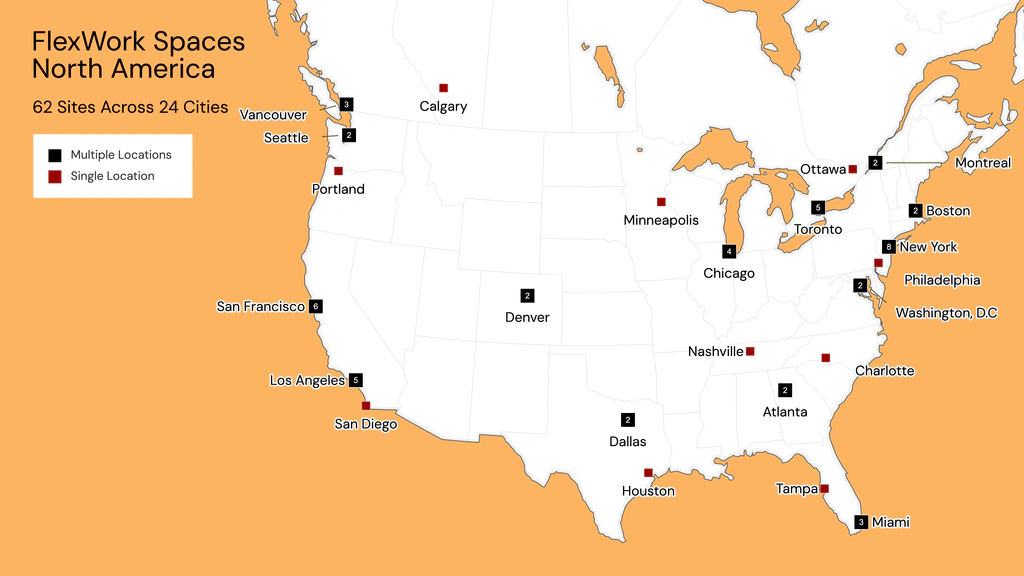
Location Maps
Pin your stores, offices, or service locations on a map. Group nearby sites with numbered markers, add details in tooltips, and embed a live map on your website so customers can find you.
Create Your Map in Three Steps
No design skills needed. No GIS software. Just your data and two minutes.
Pick Your Map
Choose from 200+ vector maps: US states, any US state by county, countries on every continent, and more. Each map is divided into administrative regions you can color individually.
Add Your Data
Paste from Excel, import a CSV, connect Google Sheets or Notion, or just type a prompt like "color states by population." Ultimaps matches your data to regions automatically, even if your formatting is messy.
Customize & Share
Fine-tune colors, switch themes, add pins and annotations. Then export as high-resolution PNG, SVG or PDF, or publish as an interactive map and embed it on your website with one line of code.
Browse maps by region
Need a map in a few clicks? Try our free quick tools: Color a map, Map maker, US map maker and ZIP code map maker. Each one is a single map you color and download. When you want to bring in your own data, open your map in Studio.
Build Interactive Maps. No Code Required.
Turn any map into a live, embeddable experience your audience can explore.
Color-code US states, counties or countries with your data, drop pins on the map, and let visitors explore it. Tooltips appear when they hover over a region or pin, and popups open with more detail on click. You can also send visitors straight to a URL. Tooltips and popups are filled from your data columns, so one template covers every region.
Publish your map with one button and get a shareable link, or copy an embed code and paste it into your website, blog or CMS. In Notion, WordPress, Ghost and Substack you can simply paste the link and it turns into the live map.
Your interactive maps work on every device and look polished without you writing a single line of code. Update the map after publishing and the embedded version shows the change, with no new code to paste.
Made for analysts sharing results, journalists publishing stories, researchers presenting findings and teams adding a map to their website.
- Tooltips and popups from your data
- Click-through links to any page
- Pan and zoom, or a fixed view
- Embed code or paste-a-link embeds
Try it in your own page
Copy this demo's link and paste it into Notion, WordPress, Ghost or Substack. It turns into the live map. To make one with your own data, start a map in Studio.
Publishing needs a free account. Free maps show a small ultimaps.com credit, which Pro removes.
Pricing
Make unlimited maps for free, forever. Upgrade when you need high-res and vector exports, or maps without our credit.
Free
€0
Free forever
Make maps from your data and share them. No card, and no sign-up until you save or publish.
No sign-up or card needed
What’s included
- Unlimited maps
- Import Excel, CSV, Sheets or Notion
- 100 address lookups + 20 AI requests a month
- PNG export with credit
- Commercial use with the credit
- Interactive maps you can embed
Pro
Save 15%Was €49€41.58/month
Billed €499 yearly
For professionals who publish maps often. Pays for itself from about 4 maps a month.
Cancel anytime
Everything in Free, plus
- Unlimited exports, no credit
- 6× resolution PNG, plus SVG and PDF
- Unbranded interactive maps
- Templates and duplicates
- 5,000 lookups + 500 AI requests a month
- Priority email support
Custom
Custom
Tailored to your needs
For organizations that need maps in their own brand, a map we don't have or custom map behavior.
Custom maps from €49
Everything in Pro, plus
- Custom maps for any region
- Custom themes and fonts
- Invite users to your workspace
- Custom interactive logic
Just one map? €12.50 per map
High-res PNG, SVG and PDF with no credit. The files are yours to use commercially, forever, and you can re-export that map for 24 hours.
Exporting 4 or more maps a month? Pro costs less.
No card for Free · Cancel anytime, Pro runs to the end of your paid period · 30% off for non-profits

Frequently Asked Questions
Get in Touch
Have a question about Ultimaps? Need a custom map or enterprise solution? We specialize in data visualization, GIS, and software development. Send us a note and we'll get back to you.